The AIMS explained6-minute readFor medtechs preparing for the remote-proctored sitting
AIMS online exam rules: remote proctoring, WebLock, no calculator and no breaks
The AIMS online exam rules from the exam pack: remote proctoring, the WebLock secure browser, ID, no calculator, no breaks, and how to rehearse each rule.
The AIMS online exam runs from your own desk, but it is not casual. A proctor watches you for three hours, your computer is locked into a secured browser, and the paper has no scheduled breaks. Candidates who prepare only the content and ignore the setting can lose their composure in the first ten minutes.
This post covers the exam-day rules as the Australian Institute of Medical and Clinical Scientists (AIMS) states them, and turns each one into something you can rehearse. The rules below come from the June 2025 exam pack (S2). Packs are reissued, so read the current version before your sitting. We do not add technical specifications, internet speeds or room rules that the pack does not state.
How does the AIMS online exam work?
The exam is conducted online using remote proctored software, with live supervision through a webcam and a mobile phone (S1). The paper is 150 single-response multiple-choice questions to be completed in three hours (S1).
You take it at your own computer, and a proctor supervises you in real time. In practice, that means two cameras: the webcam on your computer and a mobile phone, both in use during the sitting. The pack does not describe where the phone should be placed, so follow the instructions AIMS gives you for your sitting rather than a forum's advice.
The exam is held in March and September (S5). For the dates and deadlines, see our AIMS exam schedule post. For the structure of the paper itself, read the format post.
The rest of this post goes through what is asked of you, in the order you will meet it.
What are the practice test and the trial exam?
Before the official exam you complete a practice test, and then a trial exam within the two weeks before the official exam (S2). Both let you check that your computer and the secured browser work together before anything counts.
Treat them as seriously as the real thing. The trial exam is where connection, camera, browser and ID problems appear, and it is much better to find them with two weeks in hand than on the day.
Put the trial exam in your calendar as soon as you know your sitting. Use the same desk, the same computer and the same room you plan to use for the paper. If you change any of these afterwards, repeat the check.
Do not use the trial exam as content revision. Its job is to confirm the setup, so spend that session noticing glitches and writing down what you would fix. Our final-month post places the trial exam inside a taper plan.
What do WebLock and your computer have to do?
The exam is taken in the WebLock secured browser, on the same computer you used for the practice test and trial exam (S2). WebLock is the AIMS proctoring browser, so it restricts what else your computer can do during the sitting.
The same-computer rule is the one candidates forget. If your laptop fails the night before and you borrow another, the trial exam you did no longer proves anything. Plan for a backup device only if AIMS confirms it is allowed, and ask before the sitting rather than on the day.
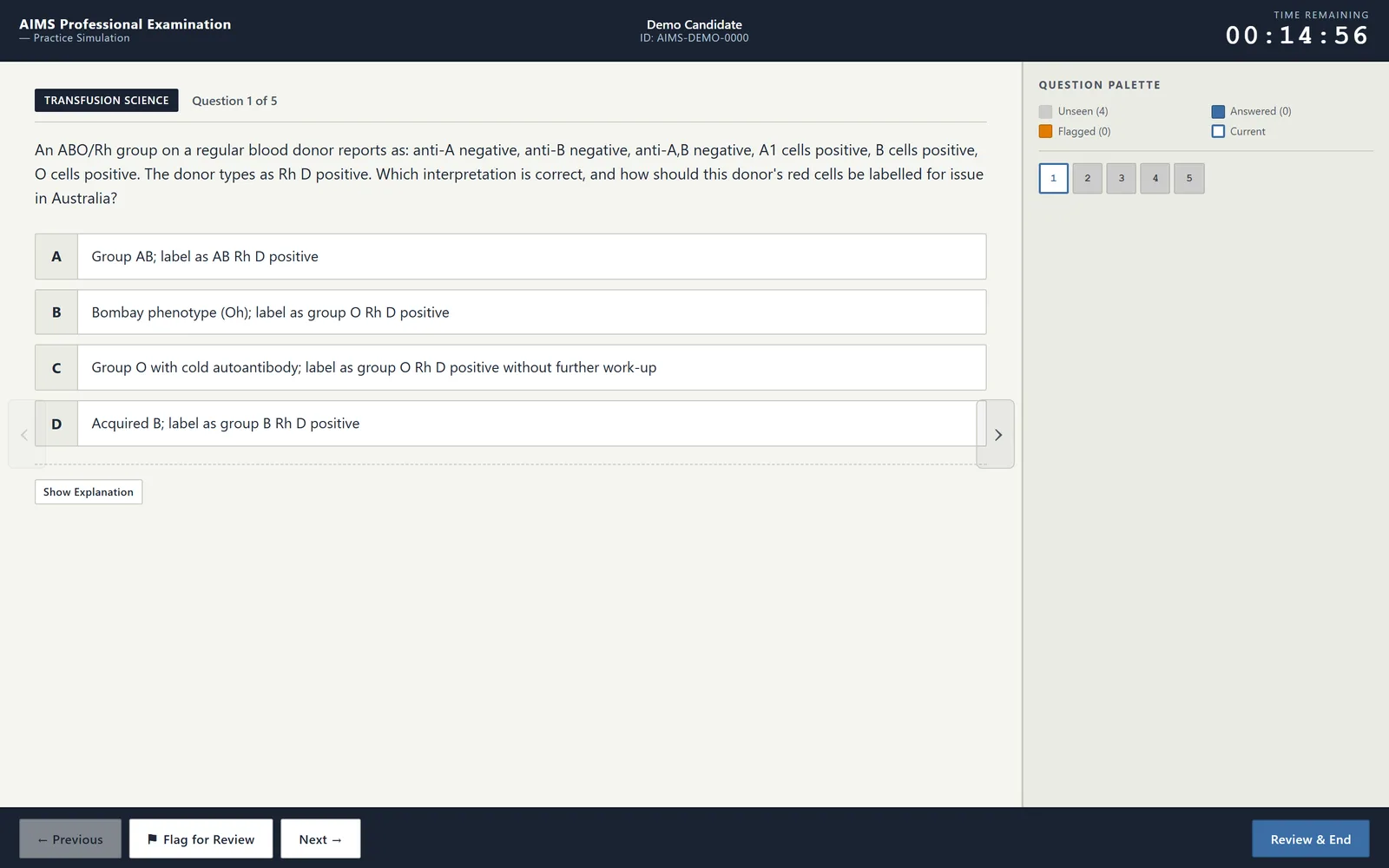
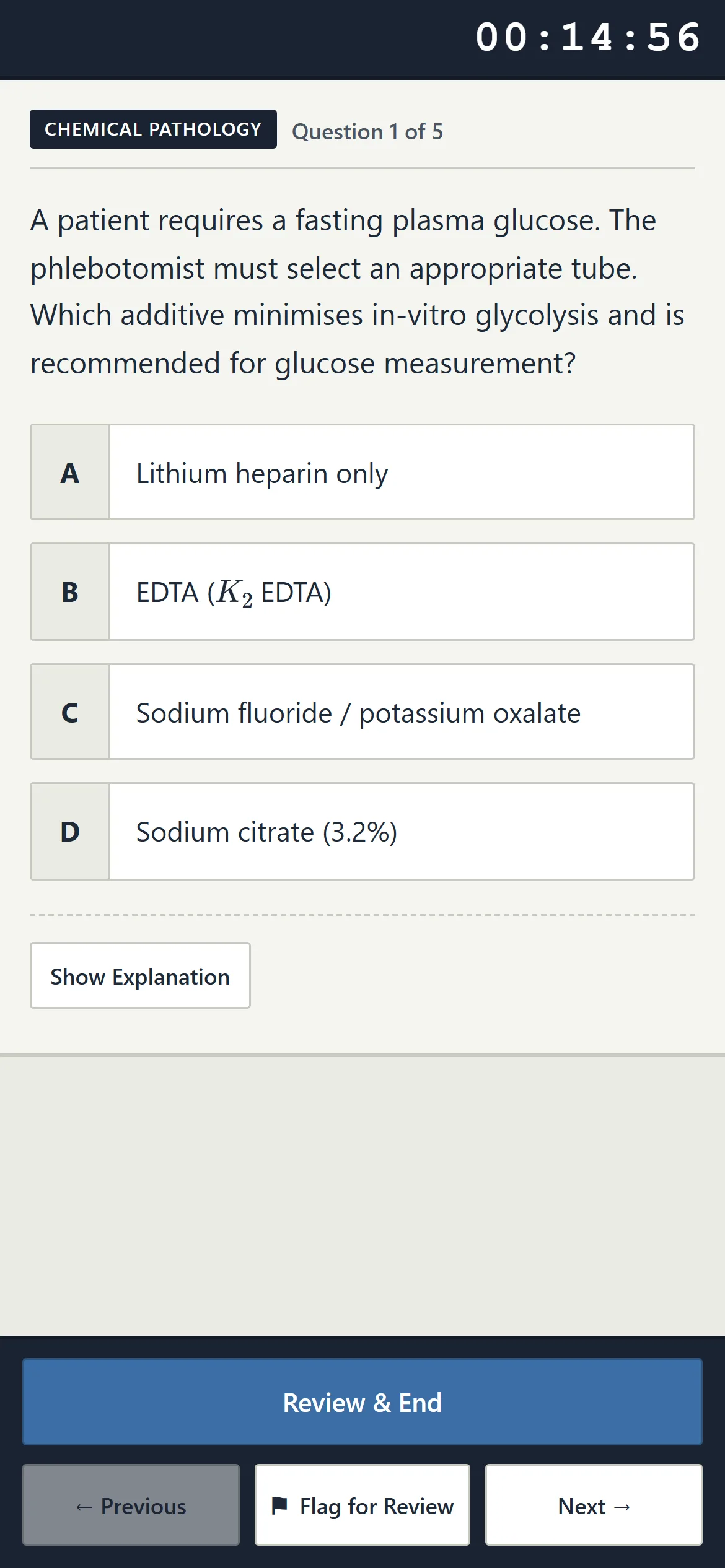
You can rehearse part of this. Close every other application, silence notifications and sit for three hours without touching anything outside the exam window. Our simulator runs in a full-screen, timed room that models a remote-proctored sitting. It is a practice room only.
What ID, desk and items are allowed?
You show a passport or driver's licence to the proctor, and you may not have books, notes or headphones (S2). That is the full list in the pack, so do not add rules of your own or assume rules the pack does not state.
Rehearse the opening minutes. Have your ID within reach before you log in, because looking for it with the clock running adds stress you do not need. Clear your desk so that nothing on it could be mistaken for a note.
Headphones deserve a sentence of their own. Many people study with music or a podcast on, and three silent hours is a change of habit. Do your last few mocks in the same quiet conditions you will have on the day.
The pack's silence about other items is not permission. If you wonder about a drink, a watch or a second monitor, ask AIMS before the sitting.
Do you need a calculator, and can you take breaks?
A calculator will not be required, and there are no bathroom or rest breaks unless approved (S2). The paper is built so that arithmetic is light, and three hours is meant to be sat as one block.
Both rules change how you practise. Without a calculator, rehearse quick mental estimation for dilutions, percentages and unit conversions in Chemical Pathology and Haematology. Build the habit of checking whether an answer is plausible by order of magnitude.
For the no-breaks rule, treat the sitting as an endurance task. Eat and drink before you start, and use the bathroom first. Then run at least two uninterrupted three-hour sessions in the weeks before the exam.
If you have a medical need, ask AIMS about approval well ahead of time. The pack says breaks require approval, but it does not describe the process here, so we do not guess at it. Our time management post shows how to pace 150 items without a pause.
Can you review your answers before you submit?
Yes. Answers can be reviewed before submission (S2). That makes a flag-and-return approach possible: answer what you can, mark the uncertain items, and use the remaining time to revisit them.
If you believe a question contains an error, report it within five business days (S2). Because notes are not allowed during the sitting, hold the question's position and topic in your head, and write them down as soon as you finish while the memory is fresh.
The reporting window is short, and it is the route the pack describes. Completed papers are never released (S1), so you cannot check later.
| Rule (S2) | What it means | How to rehearse it |
|---|---|---|
| Practice test, then trial exam within 2 weeks | Setup is checked before the official sitting | Schedule it on your calendar once your sitting is confirmed |
| WebLock on the same computer | One device from trial to sitting | Do all mock work at the same desk and machine |
| Passport or driver's licence | ID shown to the proctor | Keep it within reach before logging in |
| No books, notes or headphones | A bare desk and a silent room | Practise three hours without either |
| Calculator not required | Light arithmetic only | Drill mental estimation |
| No breaks unless approved | One three-hour block | Run two uninterrupted full mocks |
| Review before submitting | Flag and return is possible | Practise flagging and revisiting |
You can try the flag-and-review habit now in our free demo, which has five items in each of the seven disciplines.
Frequently asked questions
Do I need a calculator for the AIMS exam?
No. The exam pack states that a calculator will not be required (S2). Practise estimating dilutions, percentages and unit conversions mentally, and check whether your answers are plausible by size. If a rule changes in a newer pack, the current pack applies.
Can I take a bathroom break during the AIMS exam?
Not unless approved. The pack says bathroom or rest breaks are not allowed unless approved (S2). Use the bathroom and eat before you start, and ask AIMS about approval before your sitting if you have a medical reason.
Can I go back and change answers?
Yes. The pack says answers can be reviewed before submission (S2). Flagging uncertain items and returning to them is a workable strategy, as long as you leave enough of the three hours for the return pass.
Can I sit the AIMS exam from the Philippines?
The exam is online and remote proctored (S1), with a proctor watching through your webcam and a mobile phone. The sources we use do not set location rules, so we cannot promise that any location is allowed. Confirm with AIMS before you apply.
Sources
- Medical Laboratory Scientist Professional Examination Pack v8.1 (06/2025) — Australian Institute of Medical and Clinical Scientists
- Medical Laboratory Scientist Professional Examination Pack v8.2 (03/2026) — Australian Institute of Medical and Clinical Scientists
- Professional Examinations for Migration — Australian Institute of Medical and Clinical Scientists
From the publisher
Sit it here first.
TerumoEdge AIMS Ex-Sim is a simulator for the AIMS Professional Examination: a full-screen, timed exam room, a 150-item Full Mock across all seven disciplines, and a written explanation for every item.
- 5,981 items across the seven AIMS disciplines
- 39 fixed sets in each discipline, 273 in all, plus random draws
- A 150-item, three-hour Full Mock with a per-discipline score report
- An English explanation with references for every item, not a bare answer key
Try the free AIMS simulator demo Five real items in each of the seven disciplines. No account needed.
About this article
Written by the TerumoEdge AIMS editorial team, who build the TerumoEdge AIMS Ex-Sim. Exam facts are checked against the AIMS Professional Examination Pack and the AIMS Guidelines for Skills and Qualifications Assessment, and every article lists its sources. How we write and check our articles.
First published .